GTA 6 Global Release Time by Region & How to Prepare Your Stream Setup
Convert November 19, 2026 regional midnight unlock windows to your exact local clock, see when early Oceania storefronts go live, and stage your OBS stream scenes cleanly before launch hour.
Quick Launch Summary: On launch day (November 19, 2026), regional console storefronts follow a rolling local midnight schedule. New Zealand (NZDT, UTC+13) unlocks earliest at November 18, 6:00 AM EST / 3:00 AM PST / 11:00 AM GMT, while North American storefronts align with 12:00 AM Eastern Time (9:00 PM Pacific).
Waiting for a global launch without knowing your exact storefront rollout time leads to missed stream starts, exhausted viewers waiting in dead lobbies, and rushed scene configurations. Use our live browser-local GTA 6 Global Launch Unlock & Timezone Converter to calculate your exact wall-clock countdown in one second—then follow this launch checklist to go live smoothly.
Regional Unlock Windows Compared (November 18–19, 2026)
Digital console storefronts map unlock permissions to the region on your storefront account rather than IP geolocation alone. Here is how major regional windows translate across global timezones:
| Storefront Region | Storefront Local Unlock | US Eastern (EST) | US Pacific (PST) | UK London (GMT) |
|---|---|---|---|---|
| Auckland (NZDT) | Nov 19, 12:00 AM | Nov 18, 6:00 AM | Nov 18, 3:00 AM | Nov 18, 11:00 AM |
| Sydney (AEDT) | Nov 19, 12:00 AM | Nov 18, 8:00 AM | Nov 18, 5:00 AM | Nov 18, 1:00 PM |
| Tokyo (JST) | Nov 19, 12:00 AM | Nov 18, 10:00 AM | Nov 18, 7:00 AM | Nov 18, 3:00 PM |
| Singapore / HK (SGT) | Nov 19, 12:00 AM | Nov 18, 11:00 AM | Nov 18, 8:00 AM | Nov 18, 4:00 PM |
| London (GMT) | Nov 19, 12:00 AM | Nov 18, 7:00 PM | Nov 18, 4:00 PM | Nov 19, 12:00 AM |
| Berlin / Paris (CET) | Nov 19, 12:00 AM | Nov 18, 6:00 PM | Nov 18, 3:00 PM | Nov 18, 11:00 PM |
| New York (EST) | Nov 19, 12:00 AM | Nov 19, 12:00 AM | Nov 18, 9:00 PM | Nov 19, 5:00 AM |
Need another city like Chicago, Denver, Dubai, or Sao Paulo? Open the Launch Unlock Timezone Converter and click Copy My Unlock Time to paste the exact timestamp directly into Discord or YouTube descriptions.
Launch-Night Stream Setup Checklist (60 Minutes Before Live)
1. Stage Clean Starting Soon & Chat Rules Overlays
Launch audiences arrive early, especially during the final 30-minute countdown window. Switching straight from desktop capture into title menus hurts retention and creates copyright or chat moderation headaches. Keep three clean OBS scenes hot-keyed before launch:
- Starting Soon Scene: Displays your local countdown, stream schedule, and channel handle with relaxed synth audio.
- Just Chatting / Lore Recap Scene: Ideal while waiting through final patch verification or day-one file unpacking.
- No-Spoilers Gameplay HUD Scene: Places a slim webcam border cleanly in the bottom-left or top-left corner away from minimap and objective prompts.
If you need ready-to-import graphics, download the Vice Neon Streamer & YouTube Creator Kit ($17)—it bundles 12 crisp 1080p/4K SVG overlays, 4 local HTML/CSS OBS Browser Source alerts, and 9 matching YouTube thumbnail frames with commercial usage included.
2. Lock Audio Bitrate & Capture Card Latency
Nothing derails a 6-hour opening stream faster than audio drift or bitrate stuttering when intense urban traffic renders on screen:
- Set OBS video output to 1920×1080 (60 fps) at 6,000–8,000 kbps for Twitch or 1440p/4K at 18,000–25,000 kbps for YouTube Live.
- Separate game audio, microphone voice, and alert sources onto independent OBS audio tracks so VoD highlight edits remain clean for Shorts and TikTok uploads.
- Keep your capture card passthrough at zero-latency HDMI and verify mic sync on a 15-second private test recording before hitting Start Streaming.
3. Prep Highlight Clips & Thumbnails While Live
High-performing creators treat launch night as a week-long content engine rather than a single live session. Pair your recording workflow with two quick habits:
- Mark exciting driving stunts or early neighborhood discoveries using an OBS Replay Buffer or marker hotkey so you can trim clean 30-second vertical Shorts immediately after logging off.
- Drop crisp color grading onto gameplay exports using our Miami Sunset 4K Wallpaper & LUT Pack ($7) and build bright neon hook cards in under 20 seconds via the Vice Neon Title & Thumbnail Hook Generator.
Frequently Asked Questions
What time does the New Zealand storefront unlock in North America?
Auckland reaches local midnight (November 19 at 00:00 NZDT) at 6:00 AM US Eastern Time and 3:00 AM US Pacific Time on November 18, which is 18 hours before US Eastern Midnight.
Can I stream launch gameplay on a single PC alongside console capture?
Yes. Connect your console through a hardware capture card into OBS Studio and use lightweight SVG overlays plus local HTML browser alerts so CPU and GPU overhead stays minimal throughout multi-hour marathons.
How can I track 100% completion during my first playthrough without spoilers?
Avoid scrolling open-web wikis during story chapters and log chapters, collectibles, and garage rides offline using our spoiler-free Leonida 100% Completion & Collectible Tracker.
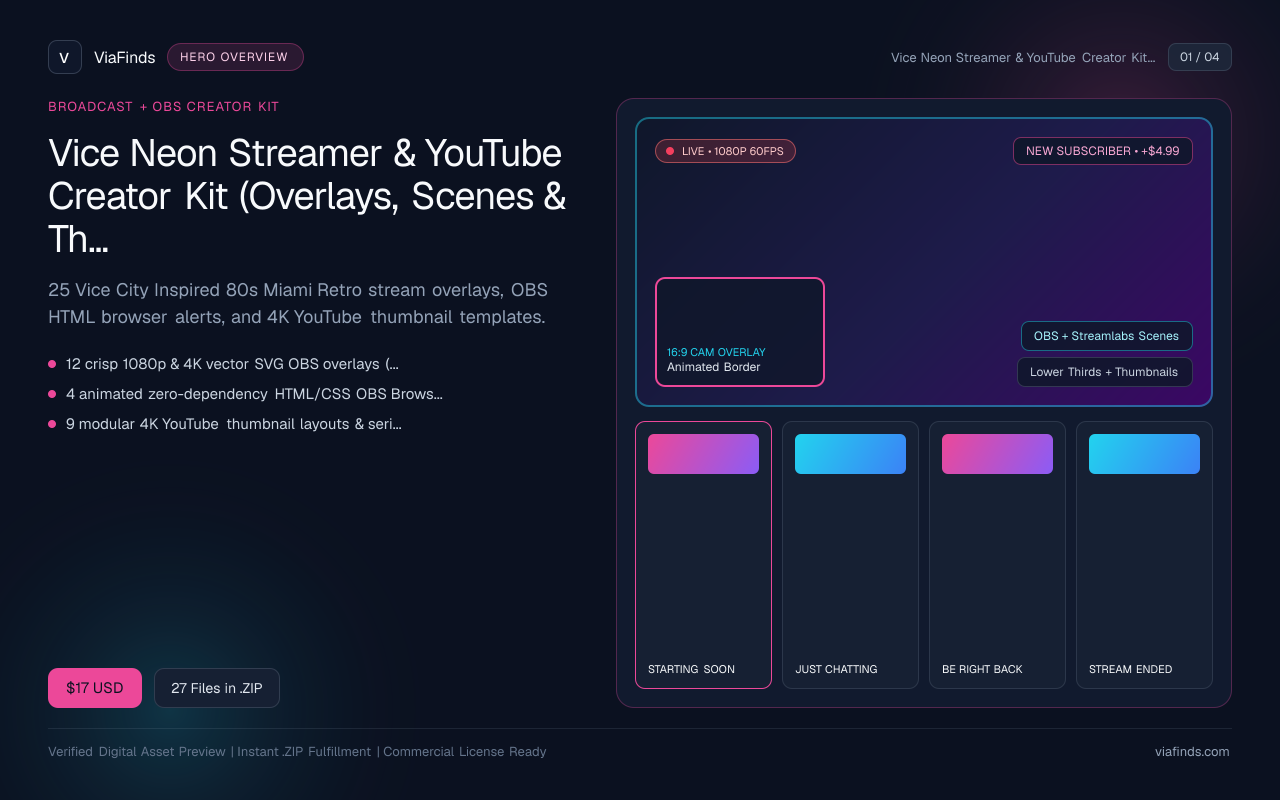
Vice Neon Streamer & YouTube Creator Kit (Overlays, Scenes & Thumbnail Templates)
25 Vice City Inspired 80s Miami Retro stream overlays, OBS HTML browser alerts, and 4K YouTube thumbnail templates.
- 12 crisp 1080p & 4K vector SVG OBS overlays (Starting Soon, BRB, Ending, Just Chatting, Webcam HUD)
- 4 animated zero-dependency HTML/CSS OBS Browser Source alerts
- 9 modular 4K YouTube thumbnail layouts & series badges (80s Miami Sunset, Neon Noir, Retro Script)
- OBS setup PDF guide & royalty-free commercial creator license