How to Track 100% Completion, Collectibles & Side Hustles Without Spoilers
Avoid launch-week ending spoilers from crowded wikis. Organize story acts, 100 neighborhood collectibles, stunt jumps, safehouses, and missable trophies cleanly on a structured tracker.
Quick Answer: The safest way to hit 100% completion during launch week without stumbling across story twists is to decouple location exploration from plot searches. Log districts, collectible counts, garage builds, and missable chapter checklists inside a structured offline sheet instead of clicking public wiki comments.
Every massive open-world crime RPG rewards players who explore coastal alleys, industrial docks, wetlands, and hidden rooftops—yet searching online mid-campaign almost always surfaces suggested search spoilers, ending thumbnails, and late-game mission names. A quiet, zone-by-zone checklist system solves this completely while keeping your 100% completion percentage razor-sharp.
Why Ad-Supported Wikis Break Launch-Week Runs
- Related Video Sidebars Leak Major Plot Beats: Looking up a single vehicle upgrade or stunt jump often displays recommended thumbnails revealing finale locations.
- No Persistent Progress Across Play Sessions: Browser checklists frequently reset cookies or lose district tallies halfway through a 60-hour campaign.
- Confusing Missable Warnings: Players discover too late that a side hustle or neighborhood contract locked out at the end of a story act.
The 4-Layer Spoiler-Free Completion Framework
Instead of searching mission names, organize your playthrough into four predictable structural layers in our Leonida 100% Completion & Collectible Tracker ($9):
| Layer | What You Log | How It Protects Spoilers |
|---|---|---|
| Story Pacing | Generic numbered slots across Acts I–IV | Lets you mark progress & gold medals privately |
| Zone Collectibles | Sector quotas (20 nodes × 5 districts = 100) | Clear each district map thoroughly before moving |
| Assets & Garages | 20 safehouses + 60 custom vehicle slots | Track tuning tiers & passive property upgrades |
| Stunts & Trophies | 50 ramp challenges + 45 milestone checks | Highlights missable timing without story details |
Step 1: Clear Collectibles by Region Instead of Type
Chasing one collectible category across the entire map back-to-back burns out exploration joy. Instead, divide Leonida into five natural territory sweeps: Vice Coastline, Downtown Vice, Port & Docks, Leonida Keys, and Wetlands Basin. Whenever story objectives naturally place you inside a sector, log nearby stunt ramps and landmarks in your checklist right away.
Step 2: Tag Garage Builds Early
High-speed highway sprints, coastal time trials, and getaway chases demand very different vehicle classes. Recording your Sports Coupe, Muscle Classic, Off-Road, and Watercraft upgrades in a 60-slot Garage Registry guarantees you never waste in-game cash upgrading duplicate chassis tiers.
Step 3: Track Progress in Excel or Notion Automatically
Every copy of the Leonida 100% Completion & Collectible Tracker ships with both:
- An 8-tab Excel / Google Sheets workbook (
.xlsx) pre-configured with=COUNTIFformulas so markingDoneimmediately recalculates your Master Completion Percentage. - 5 import-ready Notion CSV databases + a printable PDF workbook for second-screen or tablet checkoffs right beside your controller.
Planning your marathon schedule around regional launch hours? Double-check your local start window with the free GTA 6 Global Launch Unlock & Timezone Converter, or browse every digital template available in the ViaFinds Store.
Frequently Asked Questions
Can I import the completion tracker directly into Notion or Google Sheets?
Yes. Open the 5 pre-formatted CSV files inside Notion via Import -> CSV to generate filterable district tables, or upload the .xlsx file straight into Google Sheets / Microsoft Excel with all progress formulas preserved.
Does the checklist spoil character names or mission endings?
No. All chapter, side hustle, collectible, and trophy rows use neutral spoiler-free numbered slots and regional zone groupings so you fill in landmarks as you explore.
Do I get printable pages if I play on a TV without a laptop nearby?
Yes. The bundle includes a multi-page high-contrast PDF workbook sized for US Letter / A4 home printing so you can log district completion totals by hand.
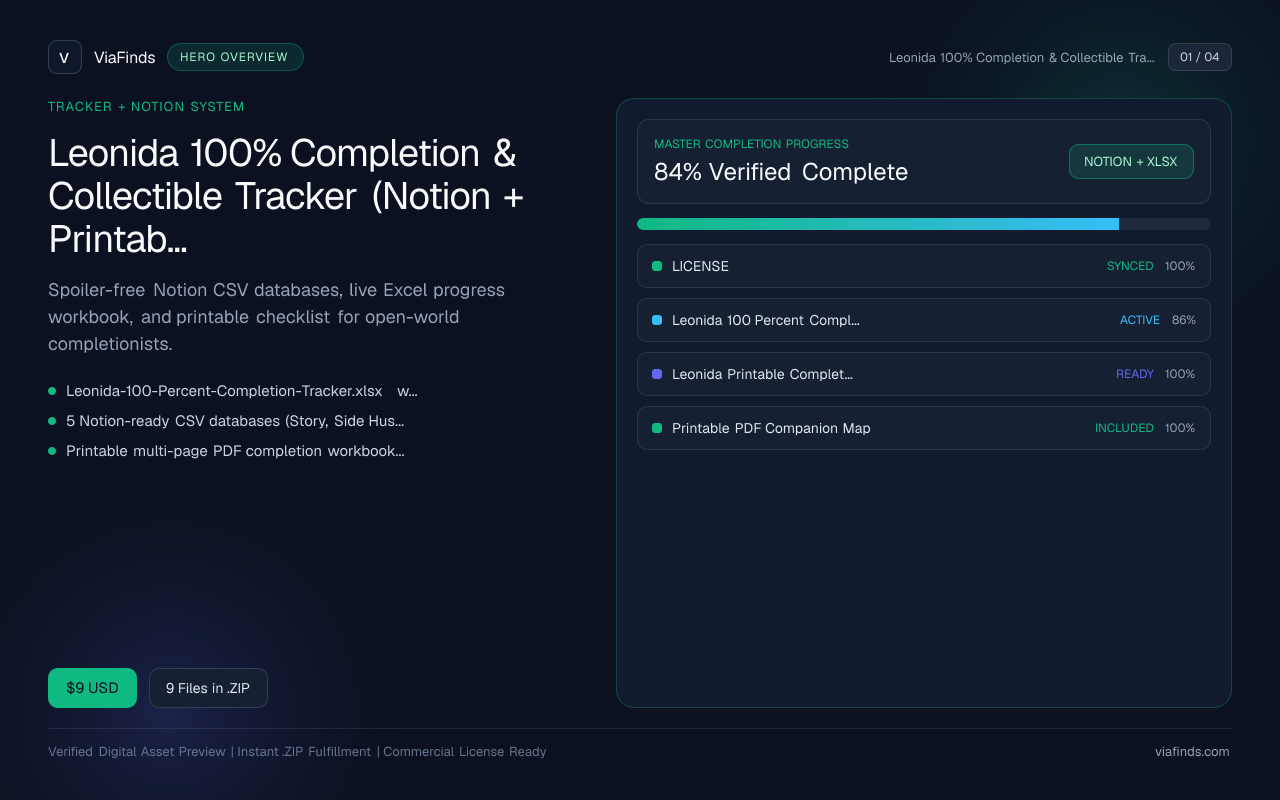
Leonida 100% Completion & Collectible Tracker (Notion + Printable Checklist Bundle)
Spoiler-free Notion CSV databases, live Excel progress workbook, and printable checklist for open-world completionists.
- Leonida-100-Percent-Completion-Tracker.xlsx with live =COUNTIF / completion % dashboard
- 5 Notion-ready CSV databases (Story, Side Hustles, Collectibles, Safehouses, Trophies)
- Printable multi-page PDF completion workbook with checkbox logs
- Spoiler-free chapter sequence & commercial/personal license